8. Workflow
How beres prepares your documents, and how strict it is before one can be exported. Admin only, at Settings → Workflow (/settings?panel=policy).
This panel was called Export policy in earlier versions. It now also holds the choice of which document format new documents are prepared as.
One card per document format
Your accounting system may book a supplier document in more than one way. SQL Account has two — Purchase Invoice (eStream) and Supplier Invoice (ARAP) — so the panel shows one card for each, and each card holds only the rules that format actually uses. AutoCount Cloud has a single format, so there is nothing to choose between — no cards, no radio, just its rules.
The radio button on a card sets the default format — the one new documents are prepared as. Pick it once and save.
The default is not a lock. Anyone reviewing a batch can switch a single document to the other format of the same system, from the Format dropdown at the top of Prepare for export. Use the default for the way you book most invoices, and switch the occasional exception per document.
Your master data — suppliers, stock items, chart of accounts — is shared by every format of one accounting system, so changing the default never empties a list.
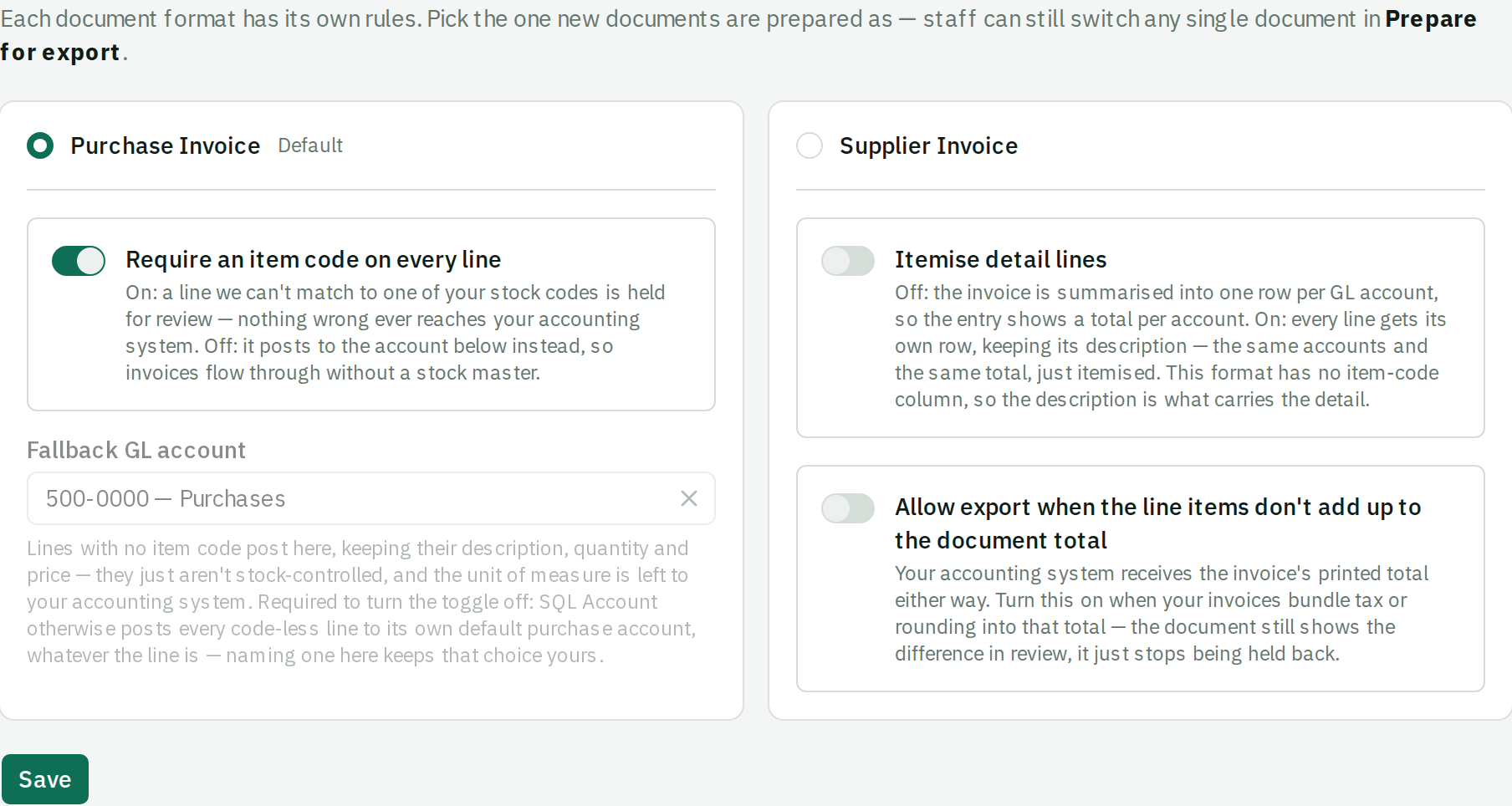
Require an item code on every line
Shown on formats that book lines by stock item: SQL Account Purchase Invoice (eStream) and AutoCount Cloud.
On — a line beres can't match to one of your stock codes is held for review. Nothing unmatched ever reaches your accounting system.
Off — the line posts to the fallback GL account below instead, keeping its description, quantity and price. It just isn't stock-controlled, and the unit of measure is left to your accounting system.
Turn it on if you track inventory. A purchase invoice line without an item code doesn't move stock, so a missing code silently breaks your inventory figures. Being blocked at review is much cheaper than discovering the gap at stock-take.
Turn it off if you don't. Forcing item codes on an organization that books everything to an expense account just creates work.
Fallback GL account
The account code-less lines post to. It is required before the toggle can be turned off — SQL Account otherwise sends every code-less line to its own default purchase account, whatever the line is, and naming one here keeps that choice yours.
Once you have imported your chart of accounts, this is a searchable picker rather than a text box, so a typo can't reach the import. Without a chart imported you type the code by hand.
Set it to a general purchases or expense account. It is a safety net, not a filing decision: everything landing there needs reclassifying later, so if most lines are using the fallback, that's a signal your master data is incomplete rather than that the fallback is working.
Itemise detail lines
Shown on formats that summarise their detail rows by GL account — SQL Account Supplier Invoice (ARAP) today.
Off — the invoice is summarised into one row per GL account, so the entry shows a total per account. A 40-line ingredient invoice becomes three or four rows.
On — every line gets its own row, keeping its description. Same accounts, same total, just itemised.
This format has no item-code column, so the description is what carries the detail. Turn it on when your accountant wants to see what was actually bought inside the entry; leave it off when they only want the account totals.
Allow export when the line items don't add up to the document total
Shown on formats that book the invoice's printed total as the document amount — SQL Account Supplier Invoice (ARAP) today. Off by default.
Off — a document whose line amounts don't sum to the printed total is Blocked until someone reconciles it in review.
On — the same difference becomes a warning instead of a blocker. The reconciliation strip in review still shows ▲ against the document total; it just stops being held back. Your accounting system receives the printed total either way — turning this on doesn't change a single exported figure, only whether beres waits for a person.
Turn it on if your invoices bundle tax or rounding into the total, so the lines legitimately never add up and every such document would otherwise need a manual pass.
Leave it off otherwise. A mismatch is usually a mis-read quantity or rate, and that's worth catching — see A document is Blocked.
Because it waives a check, beres records who turned it on and when, and shows that under the setting.
The waiver follows the format, not just the switch: a document sent as a format that derives its own total from the lines is blocked on a mismatch again, with no change to this setting.
Choosing item code vs fallback
| Your situation | Require item code | Fallback GL account |
|---|---|---|
| You track stock in SQL Account or AutoCount | On | Set anyway, for odd lines |
| You book purchases to expense accounts | Off | Required |
| You're not sure yet | Off to start | Required |
Starting permissive and tightening later is easier than the reverse: turning the requirement on mid-stream doesn't retrospectively block documents you've already exported.
Each switch is org-wide, and the card it sits on tells you which format reads it. A rule no format of your system uses simply isn't shown.